
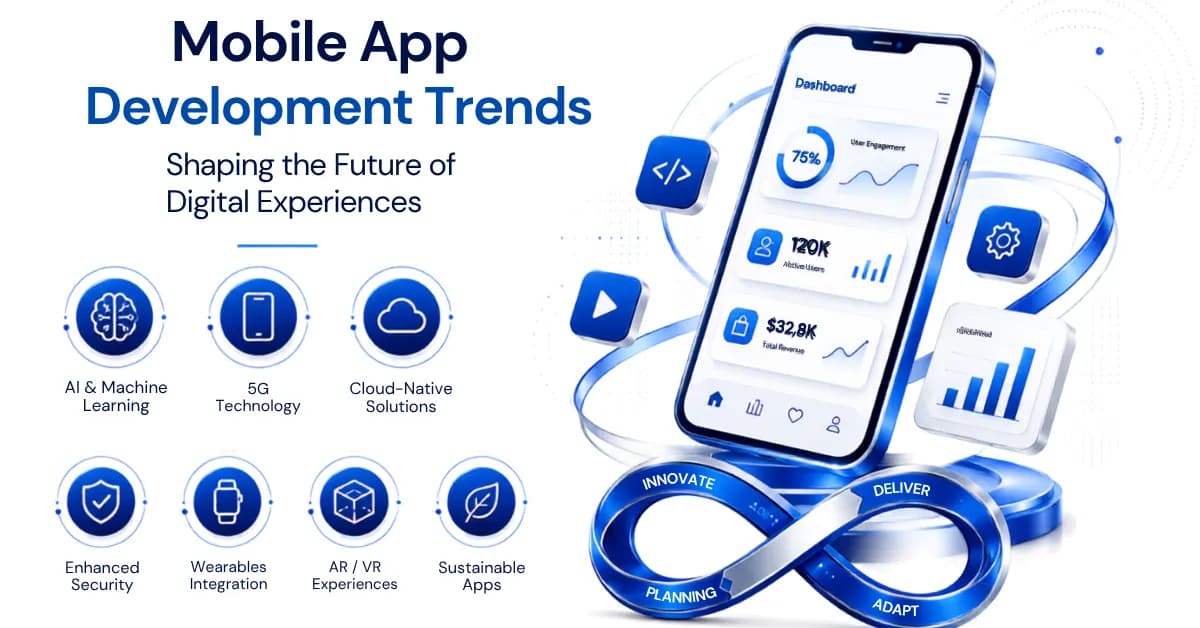
Most "mobile app trends" articles list the same five ideas every year: AI, 5G, AR, security, cross-platform. By 2026, several of those have already settled into standard practice rather than remaining trends, while a few genuinely new shifts, on-device AI, agentic workflows, passkey authentication, deserve more attention than they're getting. This guide separates what's actually changing from what's already settled, and gives you a way to decide what belongs in your roadmap.
Last reviewed: July 2026.
Key Takeaways
- Modern cross-platform frameworks can reduce duplicated development effort for suitable apps, though platform-specific work and QA still remain.
- On-device and hybrid AI, not just cloud AI, are becoming a real architecture decision, driven by latency, privacy, and offline needs.
- Security, accessibility, and privacy-by-design are baseline expectations in 2026, not differentiators.
- Planning for realistic growth and integration needs reduces the risk of expensive architectural rework later, though it doesn't guarantee it.
Which Mobile App Trends Actually Matter in 2026?
| Trend | Maturity | Who should care most | Priority |
|---|---|---|---|
| AI-assisted and agentic experiences | Rapidly mainstreaming | Most digital products with suitable workflows | High |
| On-device and hybrid AI | Growing | Privacy-, latency-, or offline-sensitive apps | High where relevant |
| Cross-platform development | Mature | Teams targeting multiple platforms | High |
| Passkeys and security modernization | Growing and maturing | Any app with authenticated users | High |
| Hyper-personalization | Mature but evolving | Commerce, media, SaaS | Medium to high |
| Conversational and multimodal UX | Growing | Complex workflows, search, support | Medium to high |
| Accessibility by design | Maturing as a baseline | Every consumer-facing app | High |
| AR and spatial features | Use-case specific | Retail, training, visualization | Selective |
| Super-app / ecosystem expansion | Market-specific | Platform and ecosystem businesses | Selective |
| Network-aware, offline-resilient design | Established, increasingly important | Media, gaming, IoT, field apps | Selective to high |
1. AI Is Moving From a Feature to the Application Layer
The earlier version of "AI in mobile apps" meant a recommendation widget or a chatbot bolted onto a support screen. By 2026, AI increasingly sits underneath the whole interaction model, not beside it. Three patterns show up repeatedly in production apps:
- Generative interfaces. Users search, summarize, generate, and edit through natural language instead of navigating fixed menus and forms.
- Agentic workflows. Instead of "ask chatbot, receive answer," the pattern becomes: state intent, the app interprets context, invokes the right tools or APIs, completes the workflow, and asks for approval where the action matters, a payment, a cancellation, a booking change.
- Multimodal interaction. Apps increasingly accept text, voice, images, camera input, and uploaded documents as equally valid ways to start a task.
A concrete example of the shift: instead of navigating Menu → Orders → Order #123 → Return → Select reason, a user can say "return the shoes from my last order, they're too small," and the app interprets the intent and drives the workflow. That's a meaningfully different design problem than a recommendation carousel, and it changes what "AI feature" means in a scoping conversation.
Our AI/ML development team scopes these patterns against a real feature list and workflow, not as a bolt-on chatbot.
2. On-Device and Hybrid AI Are Becoming a Real Architecture Decision
Not every AI feature needs a round trip to the cloud. Modern phones can run meaningful inference locally, and where that inference happens is now a genuine architecture decision, not just an implementation detail.
| Approach | Best when |
|---|---|
| Cloud AI | Larger models are required, updates need to be centralized, or the workload exceeds what the device can handle |
| On-device AI | Latency, privacy, or offline operation matter, or the same inference runs repeatedly on the same data |
| Hybrid AI | Lightweight local processing handles the fast path, while complex reasoning or retrieval happens in the cloud |
On-device AI isn't automatically the better choice. Model size, battery impact, thermal constraints, device hardware variation, and how you ship model updates all factor into whether it's worth the added engineering complexity. Platforms like Apple's Core ML and Google's AI Edge tooling make local inference more practical than it used to be, but "can run on-device" and "should run on-device" are different questions.
3. Hyper-Personalization Now Comes With a Privacy Architecture Attached
Real-time personalization, adjusting what a user sees based on what they're doing right now rather than a static profile, is mature technology at this point. What's changed is that it can no longer ship without a privacy model behind it.
With appropriate consent and privacy controls, apps can use behavioral and contextual signals, feature usage, purchase history, session context, or explicitly provided preferences, to personalize experiences. That requires being transparent about what data gets collected and why, giving users clear control over their privacy settings, and distinguishing personalization that helps from personalization that just feels like surveillance.
The difference is usually obvious to users even when the underlying mechanism isn't: "reorder your usual coffee?" reads as useful. A recommendation based on behavior the user doesn't remember sharing, with no explanation of why it appeared, can feel invasive even when the underlying targeting is entirely legitimate. Trust, once damaged by the second kind, doesn't come back from the first.
4. Cross-Platform Development Is Maturing, Not Replacing Native
Modern cross-platform frameworks can now handle a much broader range of production applications than earlier generations of cross-platform tooling. That progress makes cross-platform a viable option for many projects, but "cross-platform wins" still oversimplifies a decision with real trade-offs.
| Factor | Native | Modern cross-platform |
|---|---|---|
| Code sharing | Primarily platform-specific client code; backend and some shared logic may still be reused | Significant shared code possible |
| Native API access | Direct | Plugins or modules, with native fallback where needed |
| Custom cross-platform UI | Separate implementation effort per platform | Often easier to standardize |
| Platform-specific UX | Maximum direct control | Requires deliberate adaptation |
| Cost | Depends on team and scope | Can reduce duplicated implementation effort |
| Best fit | Deep platform-specific requirements | Most business and consumer apps |
Modern frameworks such as Flutter and React Native support substantial cross-platform code sharing; our Flutter vs React Native comparison covers how to choose between them, and our native vs cross-platform vs hybrid guide covers when native still wins. Cross-platform can reduce duplicated implementation. It doesn't eliminate platform-specific integration, release, and QA work.
5. Passkeys and Security-by-Design Are the 2026 Baseline
Biometric login and encryption were the security headline a few years ago. They're table stakes now, and the frontier has moved to eliminating passwords altogether and treating security as an architecture decision rather than a feature checklist.
- Passkeys and passwordless authentication. Built on FIDO's passkey standard and supported natively through Apple and Google, passkeys are becoming an increasingly important passwordless option with native support across major platforms. For suitable apps, they can reduce reliance on passwords and phishing-prone login flows, though adoption still depends on account recovery, device coverage, existing identity systems, and how you migrate current users.
- Biometrics as a credential unlock, not a credential itself. Fingerprint and facial recognition typically protect or unlock credentials and tokens managed through platform security mechanisms, referenced in Apple's platform security documentation and Android's security documentation; they don't replace a real authentication architecture.
- Least-privilege permissions. Apps request only what a given feature actually needs, not broad access "in case it's useful later."
- Secure credential and secrets management. Sensitive user credentials and tokens use platform-provided secure storage where appropriate. Long-lived backend secrets and privileged API credentials generally shouldn't be embedded in a distributed mobile client at all; they stay server-side, with only the minimum client-accessible credentials the architecture actually needs shipped in the app.
- Software supply-chain visibility. Higher-risk applications increasingly track dependency provenance and maintenance status, not just functionality, given how much of an app's attack surface lives in third-party packages.
- API abuse protection. Rate limiting, anomaly detection, and abuse monitoring on the backend matter as much as anything happening on the device.
This depth matters most in regulated categories: see how it plays out in practice in our healthcare/HIPAA guide and our fintech app development guide.
6. Interfaces Are Becoming Conversational and Multimodal
Voice search and voice commands were the story a few years ago. The bigger shift underneath them is intent-based interaction: instead of navigating a fixed menu tree, users increasingly state what they want and let the app figure out the path. This shows up across input types, not just voice:
- Typed natural-language requests instead of form fields.
- Spoken commands for hands-busy or on-the-go situations.
- Camera input to identify a product, document, or issue.
- Screenshots or uploaded documents as a starting point for a task.
For users with visual impairments or mobility challenges, this shift also tends to make apps more usable by default, not just more modern-feeling.
7. Accessibility Is Moving Earlier in Product Design
Accessibility used to be treated as a compliance pass near the end of a project. By 2026, it's increasingly built into the design system from the start, because retrofitting it is expensive and the result is usually worse than designing for it from day one. Core areas to cover, aligned with WCAG guidance:
- Screen reader support and semantic labels.
- Dynamic text and font scaling.
- Color contrast.
- Touch-target sizing.
- Reduced-motion settings for users sensitive to animation.
- Captions and transcripts for audio and video content.
- Keyboard or switch interaction where relevant to the platform.
Accessibility is cheapest and most effective when it's built into design systems and component libraries, not patched onto individual screens after release.
8. AR Earns Its Place Through Use-Case Fit, Not Novelty
Augmented reality, built on platform frameworks like Apple's ARKit and Google's ARCore, has moved from novelty demo to a genuinely useful tool in specific categories.
| Industry | How AR earns its place |
|---|---|
| Retail | Customers visualize products, like furniture or eyewear, before buying |
| Education and training | Interactive lessons or procedures overlay guidance onto real-world objects |
| Healthcare and training | AR/XR can support guided visualization and simulation, letting professionals practice procedures without exposing patients to the risks of live training scenarios |
| Real estate | Buyers take virtual property tours without an in-person visit |
The pattern across all four: AR changes the user's decision or task, not just the app's visual novelty. "Add AR because it feels modern" is a weak reason on its own; "add AR because it resolves a real pre-purchase or training uncertainty" is a strong one.
9. Ecosystem Expansion: Not Every Company Needs a Super App
Super-app models, one platform covering payments, messaging, commerce, transport, and local services, have proven influential in markets where those categories converge within a small number of dominant ecosystems. That doesn't mean every company should turn its app into a multi-service platform.
The more broadly useful version of this trend is ecosystem expansion: adding adjacent, high-frequency workflows to an existing app rather than building a new one for each. A few examples of what that looks like by category:
- Banking: banking → investing → insurance → payments.
- Retail: shopping → loyalty → delivery → support.
- Healthcare: booking → telehealth → prescriptions → records.
This works when users have several adjacent, recurring workflows that genuinely benefit from sharing identity, payments, data, or loyalty, not simply because adding more features increases time-in-app.
10. Network-Aware, Offline-Resilient, and Efficient Apps
Faster networks keep expanding what's technically possible: live collaboration, cloud-assisted rendering, low-latency streaming, multiplayer experiences, connected-device integration, and higher-resolution media all get easier as network capability improves. But don't architect an app assuming every user has a fast, stable connection. Apps still need degraded-network handling, caching, retry logic, meaningful offline states, and adaptive media quality, because real-world coverage stays inconsistent regardless of what's technically available under ideal conditions.
The same engineering discipline that makes an app resilient on bad networks also tends to make it more efficient generally:
- Optimized code reduces the processing power an app requires.
- Reduced resource consumption means apps run smoother, even on older devices.
- Better battery performance reduces the drain that leads to uninstalls and bad reviews.
- Fewer unnecessary network requests and smaller payloads lower both data usage and backend compute load.
Efficient applications tend to benefit users and infrastructure at the same time: less battery drain, lower data transfer, faster interactions, and often lower compute demand on the backend.
What Businesses Should Not Chase
Most trend-adoption mistakes aren't about picking the wrong technology. They're about adopting a trend without a specific reason tied to the product.
- Don't add AI if deterministic logic solves the problem better and more predictably.
- Don't build AR unless spatial visualization actually changes the user's decision or task.
- Don't build a super app if your users only need one high-value workflow done well.
- Don't choose cross-platform solely to get a lower initial quote; evaluate it against your actual native-integration needs.
- Don't assume faster networks mean offline and error handling no longer matter.
- Don't personalize without a clear user benefit and a real privacy model behind it.
How to Decide Which Trends Belong in Your Roadmap
Map each trend to a specific business goal or user need
"AI is trending" isn't a scoping input. "AI reduces our support ticket volume for password resets and order status" is. Our MVP guide covers how to test which capabilities actually matter before committing to them.
Check maintenance cost, not just build cost
Some trends are cheap to build and expensive to maintain, or the reverse. Our maintenance cost guide and cost guide cover what ongoing ownership typically looks like.
Sequence trends into your actual development process
Most of these capabilities don't belong in a version one release. Our development process guide covers where discovery, architecture, and phased rollout fit.
Turning Trends Into Architecture Decisions
None of the trends above are worth adopting on their own. Each one is worth evaluating against your business goal, user need, technical feasibility, cost, maintenance burden, security posture, and a measurable outcome you can actually track after launch.
If you're planning a mobile product, we can help evaluate which of these capabilities belong in the first release, which should wait, and which don't justify their complexity for your specific case.
Talk to Our TeamFrequently Asked Questions
What is the biggest mobile app development trend in 2026?
The shift from AI as an add-on feature to AI as part of the application layer, generative interfaces, agentic workflows, and multimodal input, is the most significant change, because it affects how the whole interaction model gets designed, not just one screen.
How is generative AI changing mobile apps?
It's shifting interaction away from fixed menus and forms toward natural-language requests that the app interprets and acts on, often invoking multiple tools or APIs to complete a task rather than just returning an answer.
What is on-device AI, and when should an app use it?
On-device AI performs some or all model inference locally on the user's device rather than requiring every request to go to the cloud. It's especially useful when latency, privacy, offline operation, or repeated local processing genuinely matter, not by default. Many apps use a hybrid architecture instead: suitable tasks run on-device while larger or more complex workloads still go to cloud models.
Is cross-platform development replacing native apps?
No. Modern cross-platform frameworks are a strong option for many business and consumer apps because they can share substantial code across platforms. Native development remains valuable when deep hardware integration, early access to platform-specific APIs, highly specialized performance requirements, or strongly platform-specific experiences are central to the product. See our architecture comparison for the trade-offs.
Are super apps relevant outside a few dominant markets?
The full super-app model is most proven in markets where a small number of platforms already dominate payments, messaging, and commerce. Elsewhere, the more broadly useful version is ecosystem expansion, adding adjacent workflows to an existing app rather than building an entirely new multi-service platform.
How should a business decide which app trends to adopt?
Map each trend to a specific business goal or user problem, check the maintenance cost alongside the build cost, and sequence adoption into your actual development roadmap rather than trying to ship everything in version one.
What mobile security trends matter most in 2026?
Passkeys and passwordless authentication, least-privilege permissions, secure secrets management, and software supply-chain visibility matter more now than biometrics alone, since biometrics typically unlock credentials rather than replace the underlying security architecture.
Will AI make traditional mobile interfaces obsolete?
Not entirely. Conversational and multimodal interaction is expanding fast for complex or ambiguous tasks, but structured interfaces, lists, forms, dashboards, remain more efficient for precise, repetitive, or data-dense tasks. Most apps will likely combine both rather than replace one with the other.
Is AR worth adding to a mobile app?
Worth it when AR changes a real decision or task, visualizing a product before purchase, training on a procedure, touring a space, not when it's added mainly to make the app feel more modern.
Our mobile app development team can help you separate the trends worth building around from the ones that are just noise.