
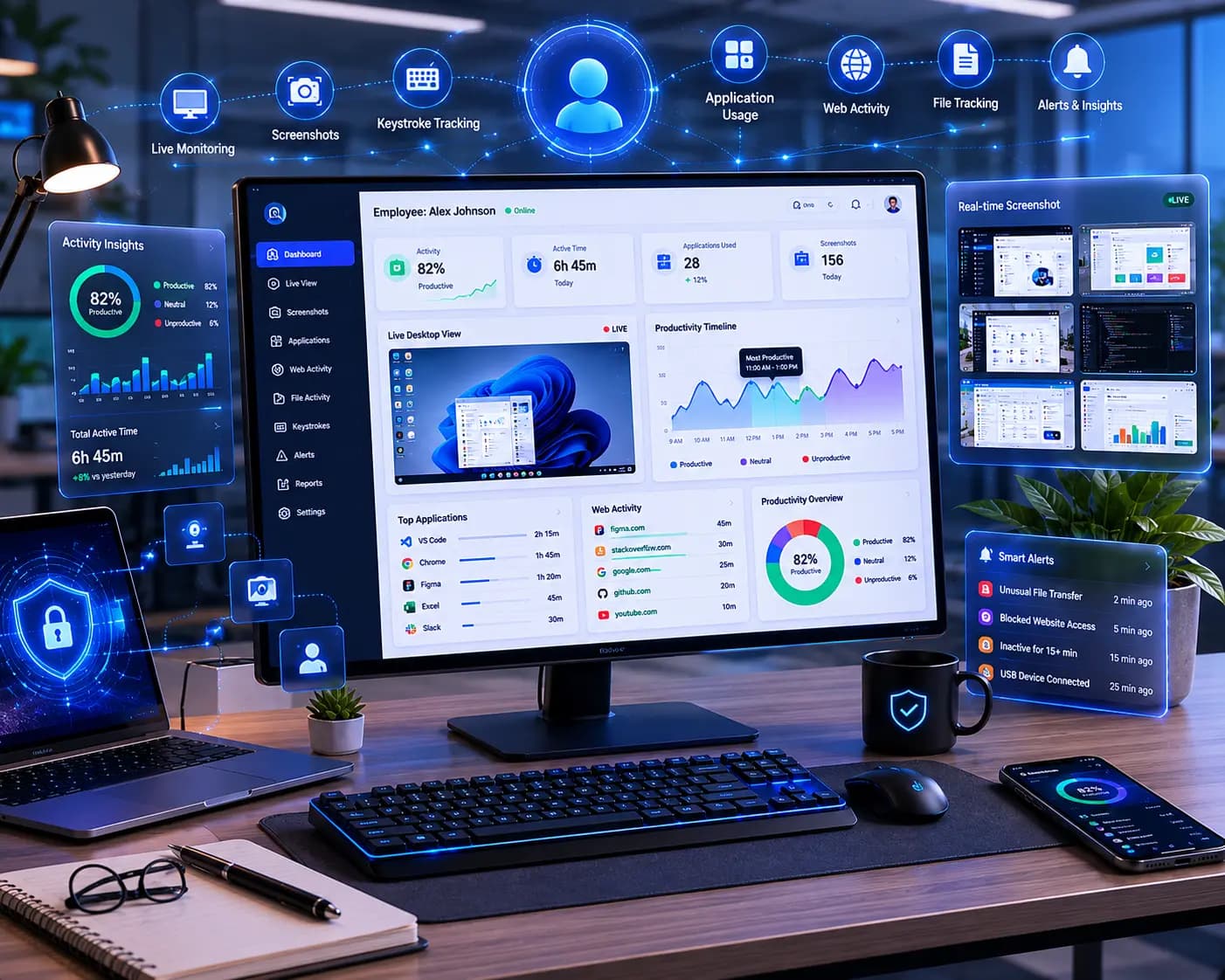
Employee Desktop Monitoring
Optional productivity visibility for desktop teams — time, activity, and screenshots under a policy people can read, not a hidden tracker.
Opt-in
Policy-led monitoring
Time
Activity alongside hours
HRMS
Sits next to attendance
Remote and desk teams needed a fair picture of the day. Clock-in alone could not tell a manager whether work happened, and informal screenshot tools had no policy and no place in HR records.
Desktop monitoring is an optional INFORCE capability. It records time and activity for desktop work, shows it to the people who are allowed to see it, and stays attached to the same employee record as attendance.
What changed
One day
Desk activity and attendance describe the same shift
Clear policy
People know what is captured and who can see it
Limited access
Visibility stays with the manager of that team
What Employee Desktop Monitoring actually does
Desktop monitoring is an optional INFORCE capability. It records time and activity for desktop work, shows it to the people who are allowed to see it, and stays attached to the same employee record as attendance.
Time on desk
Work time sits beside the attendance day instead of in a separate tool.
Activity context
Managers see how the day was spent, not only that someone clocked in.
Screenshots with policy
Capture is explicit, permissioned, and explained — not a silent background process.
Same employee record
Monitoring does not create a second identity outside the HRMS.
Role-limited views
Team leads see their people. The rest of the company does not.
Optional by design
Companies turn it on where the work and the policy call for it.
How a team runs it
Optional productivity visibility for desktop teams — time, activity, and screenshots under a policy people can read, not a hidden tracker.
01
Write the policy
Decide who is covered, what is captured, and who is allowed to look.
02
Attach it to people
Monitoring follows the employee record already in INFORCE.
03
Review the day
Time and activity show up next to attendance, not in a side inbox.
04
Keep the boundary
Access stays with the role. The log stays with the employee.
More from the same bench

Want a system with the same discipline as Employee Desktop Monitoring?
Optional productivity visibility for desktop teams — time, activity, and screenshots under a policy people can read, not a hidden tracker.
✔ Desk activity and attendance describe the same shift
✔ People know what is captured and who can see it
Build smarter. Scale faster.